Prelim......Page 1 Contents at a Glance......Page 6 Contents......Page 7 About the Authors......Page 13 About the Technical Reviewer......Page 14 Acknowledgments......Page 15 Introduction......Page 16 The Inevitability of the iPhone in the Enterprise......Page 19 Three Devices, One Platform......Page 20 Welcoming Change While Protecting the Enterprise......Page 22 Long-Term Implications......Page 23 Mobile Integration Strategies......Page 24 Impact to Infrastructure......Page 25 Integration with the Enterprise......Page 27 Summary......Page 29 Making Large-Purchase Considerations......Page 31 Preparing the Pilot......Page 32 Understanding the License Agreement......Page 33 Purchasing in Bulk......Page 34 Using StoreActivationMode......Page 35 Using StoreGeniusMode......Page 36 Getting Started......Page 37 Synchronizing for the First Time......Page 38 Choosing Synchronization Options......Page 39 Using the App Store......Page 41 Managing iTunes......Page 42 Backing Up and Restoring Devices......Page 44 Placing Devices Back into Production......Page 46 Upgrading the Software......Page 47 Summary......Page 49 Applying Basic Configurations to Mobile Devices......Page 51 Getting Familiar with iOS 4......Page 52 Setting Wireless Network Connections......Page 53 Configuring Wireless Network Settings......Page 54 Joining a Wireless Network......Page 55 Configuring the Browser (Mobile Safari)......Page 57 Navigating Through the Browser Environment......Page 59 Installing SSL Certificates......Page 62 Setting up E-Mail Accounts......Page 65 Leveraging the Cloud......Page 67 Using IMAP, POP, and SMTP......Page 68 Restricting Access to Applications......Page 72 Authenticating with Passcodes......Page 76 Performing Basic Startup Maintenance......Page 79 Obtaining Updates......Page 80 Leveraging the Logs......Page 84 Performing Backup and Restoration......Page 85 Summary......Page 87 Integrating with Groupware......Page 89 Ensuring a Proper Exchange Environment......Page 90 Configuring iOS for ActiveSync......Page 97 Using Exchange to Manage Policies......Page 101 Managing Policies from PowerShell......Page 104 Using Remote Wipe......Page 105 MobileMe......Page 107 Leveraging the Cloud......Page 114 Summary......Page 116 Working with Documents and Files......Page 119 Sharing Files Using iTunes......Page 120 Selecting Your Service......Page 122 AFP......Page 123 Setting up Share Points......Page 127 Accessing Servers With Third-Party Software......Page 129 EZSharePro......Page 130 NetPortal and NetPortal Lite......Page 136 FileBrowser......Page 140 Using iWork......Page 142 Leveraging Public Clouds......Page 143 MobileMe......Page 144 Google Docs......Page 148 Box.net......Page 149 SharePoint......Page 153 Summary......Page 154 Remote Access for iOS......Page 157 Configuring the VPN Client......Page 158 L2TP......Page 159 PPTP......Page 161 Using the Cisco VPN Client......Page 162 Assigning a Proxy to a VPN Connection......Page 164 Providing VPN Services......Page 165 Setting Up a PPTP Server......Page 167 Setting Up an L2TP Server......Page 170 Installing Mobile Access and Push Notification......Page 172 Setting Up Mobile Access......Page 173 Configuring Mobile Access......Page 174 Starting the Service and Checking the Status......Page 179 Controlling Access......Page 180 Setting Up Push Notification for the iPhone......Page 182 Using the Command Line to Manage Mobile Access and Push Notification......Page 186 Summary......Page 187 Developing In-House Applications......Page 189 Don’t Develop If You Don’t Have To......Page 190 Additional Plug-ins......Page 193 Understanding iPhone Developer Programs......Page 194 Getting a Developer Account......Page 195 Xcode......Page 197 Installing the Developer Tools......Page 198 Using a Template......Page 201 Planning Custom Applications......Page 203 Training......Page 204 Distributing Custom Applications......Page 205 Accessing Enterprise Databases with the iPhone......Page 206 Additional Resources......Page 207 Summary......Page 208 Setting Up the Tool......Page 209 Building Configurations......Page 211 Passcode Tab......Page 212 Wi-Fi Tab......Page 214 VPN Tab......Page 218 E-mail Tab......Page 219 Exchange Tab......Page 221 LDAP Tab......Page 222 CalDAV Tab......Page 224 Subscribed Calendars Tab......Page 225 Credentials Tab......Page 226 The SCEP Tab......Page 227 Deploying Configurations Using the iPhone Configuration Utility......Page 228 Importing and Exporting Profiles......Page 232 Summary......Page 233 Mass-Deploying Devices......Page 235 Building Profiles from Scripts......Page 236 Creating Devices......Page 237 Creating Configuration Profiles......Page 239 Apple’s Sample Code......Page 240 Managing Objects in the Portal......Page 241 Creating a Profile......Page 246 Enrolling a Device......Page 249 JAMF’s Casper Suite......Page 252 Configuring Global Settings......Page 254 Creating Configuration Profiles......Page 260 Enrolling Devices......Page 263 Managing Devices......Page 270 Adding Applications to the Catalog......Page 272 Providing Self-Service......Page 276 KACE Appliances......Page 277 MobileIron......Page 279 Sybase Afaria......Page 280 TARMAC......Page 281 Removing the Profiles......Page 282 Summary......Page 284 Leveraging Third-Party Solutions for Productivity......Page 285 The App Store......Page 286 Integrating GroupWise......Page 287 Security Applications......Page 288 Good for Enterprise......Page 289 Managing Thin Clients......Page 290 Citrix......Page 291 Remote Desktop......Page 292 Contact Management Options......Page 294 Tools for Public Speakers......Page 295 Keynote......Page 296 Teleprompters......Page 297 Bridging the Gap......Page 298 NetFlix......Page 299 Facebook......Page 300 Twitter......Page 301 LinkedIn......Page 302 Becoming the Informed Traveler......Page 303 Summary......Page 304 What Is Supported?......Page 307 Preparing Support Staff......Page 308 Training Considerations......Page 309 Training Materials......Page 310 Supporting End Users......Page 312 The iPhone Simulator......Page 314 Using the Software Update Server for Patch Management......Page 315 Installing the Software Update Service......Page 317 Managing Your Software Update Server......Page 318 serveradmin......Page 325 Implementing a Process to Manage Patches......Page 326 Summary......Page 327 InfoSec Acceptable Use Policy 1.0 Overview......Page 329 4.1 General Use and Ownership......Page 330 4.2 Security and Proprietary Information......Page 331 4.3 Unacceptable Use......Page 332 7.0 Revision History......Page 334 iCal Server......Page 335 Setting Up iCal Server......Page 336 Managing Calendars......Page 340 Subscribing to Calendars......Page 342 Delegating Access......Page 344 Backing Up Calendars......Page 345 Web and Wiki Integration......Page 346 Troubleshooting......Page 347 Address Book Server......Page 348 Setting up Address Book Server......Page 349 Backing up Address Books......Page 353 iChat Server......Page 354 Setting Up a Mail Server......Page 357 Configuring Mail with ServerAdmin......Page 358 Protecting the Mail Servers......Page 361 Choosing Mailbox Locations......Page 368 The Dovecot Mailstore......Page 369 Setting Up Public folders......Page 370 Backing Up Mail......Page 371 Clustering Mail Services......Page 372 ¦ A......Page 375 ¦ C......Page 377 ¦ D......Page 378 ¦ E......Page 379 ¦ H......Page 380 ¦ I......Page 381 ¦......Page 382 ¦ M......Page 383 ¦ P......Page 385 ¦S......Page 387 ¦ U......Page 389 ¦ V......Page 390 ¦ X......Page 391
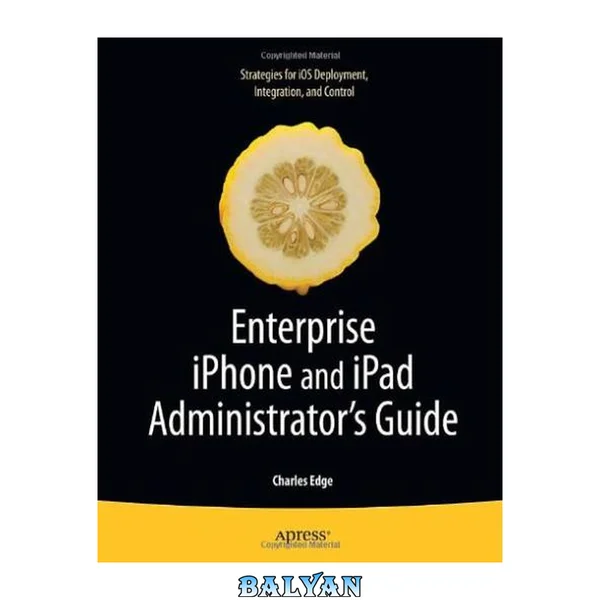
Are you an IT professional involved in deploying the iPhone and or iPad in your company or organization? Do you have fellow employees who are eager to use their iPhones and iPads for work? Then this is the book for you. Enterprise iPhone and iPad Administrator’s Guide provides step-by-step instructions on how to deploy and integrate the iPhone within a range of professional environments—from large businesses and educational institutions to medium-sized offices. This book ensures that the process is achieved in a streamlined, efficient, and cost-effective manner.
The guide begins with an introduction to basic deployment concerns, then moves into actual methods and tools that you can use to streamline the deployment process. Next, an in-depth discussion of configuration and provisional profiles helps you deliver solid device setup, security, and adherence to organization policies. Finally, you’ll learn how to use existing help desk teams to provide effective user support. Also included is coverage of the latest iPhone- and iPad-specific enterprise technologies (such as push notification and calendaring tools) as well as internal iPhone and iPad applications and web-based solutions for businesses.
What you’ll learn
- Activate and deploy the iPhone and iPad (and iTunes if it will serve as a sync conduit for users).
- Use the iPhone and iPad built-in client management capabilities.
- Support iPhone- and iPad-specific services both inside and outside of a private network, provisioning security profiles and applications to users.
- Provide effective user support, both in the office and in the field.
Who this book is for This book is intended for IT staff members that will be charged with planning an iPhone and iPad implementation or pilot program, as well as those that will be charged with ultimately deploying and provisioning the devices and delivering support to iPhone and iPad users. Readers should have an existing background in IT management, systems administration, and end user support working in a medium to large business or enterprise environment.
Table of Contents
- The Inevitability of the iPhone in the Enterprise
- Purchasing and Activating
- Applying Basic Configurations to Mobile Devices
- Integrating with Groupware
- Working with Documents and Files
- Remote Access for iOS
- Developing In-House Applications
- Building Configuration Profiles
- Mass-Deploying Devices
- Leveraging Third-Party Solutions for Productivity
- Developing A Program For Support
- Acceptable Use Policy
- Using Mac OS X Server for Groupware