
Free Software for Busy People
Mohammad Al-Ubaydliقیمت نهایی
۴۹٬۰۰۰ تومان
نسخه اصلی و اورجینال
بلافاصله پس از خرید، فایل کتاب روی دستگاه شما آمادهٔ دانلود است.
تحویل فوری
پرداخت امن
ضمانت فایل
پشتیبانی
مشخصات کتاب
- نویسنده
- Mohammad Al-Ubaydli
- سال انتشار
- ۲۰۰۵
- فرمت
- زبان
- انگلیسی
- حجم فایل
- ۳٫۰ مگابایت
- شابک
- 9780954415730، 0954415736
دربارهٔ کتاب
Free Software for Busy People.pdf......Page 0 Preface......Page 9 Introduction......Page 12 Switching from Microsoft Office to OpenOffice.org......Page 18 Mrs Shrub learns about the switch of governments to OpenOffice.org......Page 20 The GNU/Linux User Group helps M. Braille install OpenOffice.org......Page 22 Dr Digitalis uses OpenOffice.org to work with Microsoft Office files......Page 23 Mr Salah Al-Din uses the Arabic version of OpenOffice.org......Page 24 Mr Big chooses OpenOffice.org for its cutting-edge features and buys StarOffice for his managers......Page 25 Learning from the characters......Page 26 Further resources......Page 28 Text documents......Page 29 Shrub's switching success......Page 30 Ms Yates's templates......Page 31 M. Braille teaches typing......Page 32 Mr Salah Al-Din spell checks and keeps track of reviewer corrections......Page 34 Dr Digitalis creates PDF documents......Page 37 Mr Big's staff use macros to automate common tasks......Page 39 Further resources......Page 41 Calculations and graphs......Page 42 M. Braille creates a simple and secure table of pupil attendance......Page 44 Mr Salah Al-Din sums and sorts......Page 46 Dr Digitalis creates graphs of her patient surveys......Page 47 Ms Yates copies and pastes charts from Calc into her Writer text documents......Page 48 Mr Big and conditional forecasting......Page 49 Mrs Shrub imports data and learns from the US Census......Page 50 Further resources......Page 51 Presentations......Page 52 M. Braille uses existing PowerPoint files......Page 53 Ms Yates creates a simple presentation and uses the StarOffice gallery......Page 54 Dr Digitalis creates a lecture handout......Page 55 Mrs Shrub creates animations and organisational charts......Page 56 Mr Big adds corporate logos and colours using the slide master......Page 58 Mr Salah Al-Din shares his presentations with other teachers......Page 60 Further resources......Page 61 Writer has everything you need for writing your own book......Page 62 Drawings with OpenOffice.org......Page 64 OpenOffice.org Base creates databases as Microsoft Access does......Page 65 Further resources......Page 67 Browsing the web with Firefox......Page 70 Ms Yates searches Google, uses tabs and avoids pop-up windows......Page 74 Mr Salah Al-Din searches for meaning......Page 75 Dr Digitalis searches PubMed......Page 76 M. Braille downloads entire websites......Page 78 Mr Big's team improves security, creates bookmarks and designs a theme......Page 79 Further resources......Page 81 Using email with Thunderbird......Page 83 Dr Digitalis switches to Thunderbird and imports her old email messages......Page 85 Mr Salah Al-Din switches from POP to IMAP for accessing his email at home......Page 87 Mrs Shrub reads the news with RSS......Page 88 M. Braille filters out his spam mail......Page 91 Ms Yates uses extensions......Page 93 Mr Big uses Mozilla suite......Page 94 Further resources......Page 95 Creating a basic website......Page 97 Mr Salah Al-Din and his students use OpenOffice.org for simple websites......Page 100 Ms Yates uses NVU to create her company's website......Page 103 M. Braille uses PayPal and Amazon to collect donations through his website......Page 105 Mrs Shrub uses CivicSpace to blog......Page 108 Dr Digitalis uses WordPress to create a blog about acupuncture......Page 109 Mr Big's employees use WordPress blogs to keep colleagues informed......Page 110 Further resources......Page 112 Creating a large website......Page 114 Dr Digitalis creates a discussion board......Page 116 Ms Yates uses the Mambo content management system......Page 119 Mr Salah Al-Din's students use a Wiki to collaborate in writing......Page 121 Mrs Shrub uses CivicSpace for her campaign......Page 123 M. Braille uses Claroline to run courses......Page 124 Mr Big uses dotProject for project management......Page 126 Further resources......Page 128 Searching for software – let Google guide you......Page 131 Downloading the software......Page 133 Mrs Shrub uses FreeMind for mind maps......Page 137 Dr Digitalis uses OpenEMR for her patients' medical records......Page 139 M. Braille uses GIMP for drawings......Page 141 Mr Big uses Gantt Project for project management......Page 142 Ms Yates uses Plucker for her handheld computer......Page 143 Mr Salah Al-Din plays games......Page 145 Further resources......Page 146 GNU/Linux is good......Page 149 GNU/Linux is not for beginners......Page 150 There are many versions of GNU/Linux......Page 151 Mr Salah Al-Din experiments with Knoppix live CD......Page 152 Ms Yates chooses Linspire for ease of use......Page 153 M. Braille chooses Ubuntu for its international features......Page 156 Mrs Shrub chooses a Beowulf cluster for affordable and scalable computing power......Page 157 Dr Digitalis chooses Lycoris for her tablet PC......Page 159 Mr Big switches to Red Hat for support......Page 161 Further resources......Page 162 Free markets and Free Software......Page 164 Free speech and Free Software......Page 166 Freedom isn't free......Page 168 Further resources......Page 172 Ask what you can do......Page 174 Ask what your country can do......Page 177 Further resources......Page 183 GNU Free Documentation License......Page 185 Index......Page 193 Using Free Software alternatives to Microsoft Office and Adobe Photoshop can save you thousands of dollars. And commercial alternatives to Free Software content management systems and websites design tools can cost tens of thousands of dollars. Free Software is also high quality. The web browser Firefox and the email software Thunderbird introduced security and powerful features before their commercial competitors did. Quality is why the Apache web server powers over 50% of the world's websites. This book will show you how to use these tools in your company, charity, school or hospital.
کتابهای مشابه

Economic aspects and business models of Free Software
۴۹٬۰۰۰ تومان
Introduction to Free Software
۴۹٬۰۰۰ تومان
The Origins of Free Peoples
۴۹٬۰۰۰ تومان
The Free People's Village
۴۹٬۰۰۰ تومان
The Origins of Free Peoples
۴۹٬۰۰۰ تومان
The Free People's Village
۴۹٬۰۰۰ تومان
Free Colored People
۴۹٬۰۰۰ تومان
The Origins of Free Peoples
۴۹٬۰۰۰ تومان
An anarchist's guide to Free Software
۴۹٬۰۰۰ تومان
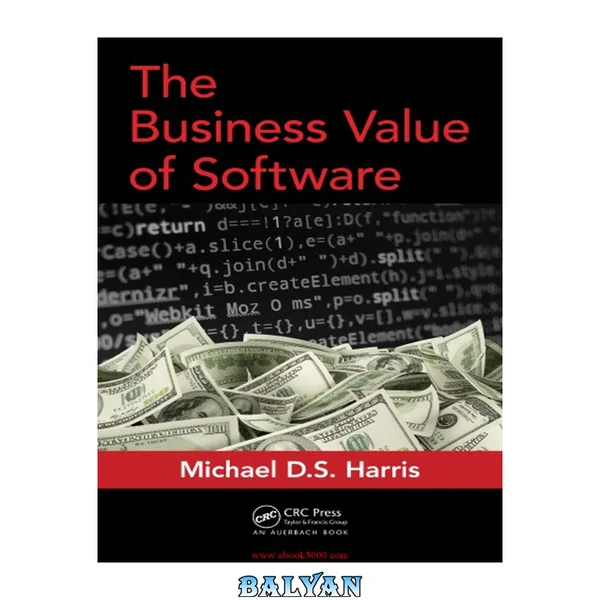
ارزش تجاری نرمافزار
۴۹٬۰۰۰ تومان
The Business Value of Software
۴۹٬۰۰۰ تومان
Software Architecture for Business
۴۹٬۰۰۰ تومان
قیمت نهایی
۴۹٬۰۰۰ تومان