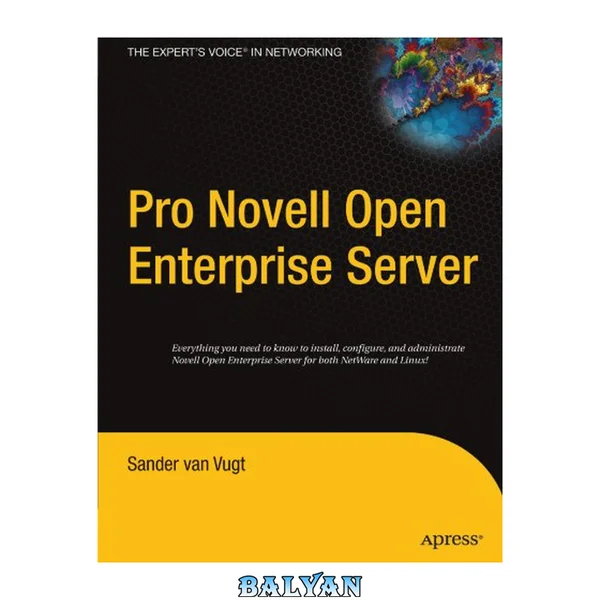
Title Page......Page 1 Contents......Page 3 Objectives......Page 17 Introduction......Page 18 What iPrint Is......Page 19 iPrint Components on Linux......Page 21 iPrint Components on NetWare......Page 26 iPrint Port Usage......Page 28 Set Up the iPrint Server on OES Linux......Page 29 Manage the Print Manager......Page 35 Manage Printers......Page 38 Manage the Driver Store......Page 45 Install the iPrint Client on Linux......Page 47 Install the iPrint Client on Windows......Page 52 Configure the iPrint Client Settings......Page 58 Migration Guidelines......Page 62 Migration Requirements......Page 63 How to Migrate iPrint Print Managers and Printer Agents Using the Server Consolidation Utility......Page 64 Post Migration Tasks......Page 70 Exercise 7-1 Migrate iPrint from the DA2 NetWare Server to the DA1 Linux Server......Page 72 Summary......Page 73 Objectives......Page 79 Introduction......Page 80 Benefits of iFolder for the Enterprise......Page 81 Benefits of iFolder for Users......Page 84 Enterprise Server Sharing......Page 86 How iFolder 3.x Works......Page 88 Key Components of iFolder......Page 89 Server Workload Considerations......Page 94 Naming Conventions for Usernames and Passwords......Page 96 Admin User Considerations......Page 98 iFolder User Account Considerations......Page 101 iFolders Data and Synchronization Considerations......Page 104 Management Tools......Page 107 Prerequisites and Installation Guidelines......Page 110 How to Install iFolder on an Existing OES Linux Server......Page 118 How to Configure the iFolder Enterprise Server......Page 121 How to Configure the iFolder Web Access Server......Page 127 How to Install the Novell iFolder 3 Plug-In for iManager......Page 129 How to Access iManager and the Novell iFolder 3 Plug-In......Page 133 How to Provision Users and iFolder Services......Page 135 Exercise 8-1 Install and Configure iFolder 3.2 on the DA1 Linux Server......Page 141 Distribute and Install the iFolder Client......Page 142 Start, Stop, and Restart the iFolder Services......Page 151 Manage the Simias Log and Simias Access Log......Page 152 Recover Individual Files or Directories......Page 153 Configure System Policies......Page 155 Modify the iFolder LDAP Settings......Page 161 Manage the iFolder Web Access Server......Page 167 Configure iFolder Users......Page 170 Manage iFolders......Page 179 Manage iFolder Accounts and Preferences......Page 189 Manage iFolders......Page 203 Use Novell iFolder 3.x Web Access......Page 218 Exercise 8-2 Use iFolder 3.x on the Windows XP Professional and SLED 10 Workstations......Page 222 Summary......Page 223 Objectives......Page 229 Introduction......Page 230 What eGuide Provides......Page 231 eGuide System Requirements......Page 233 How eGuide Works......Page 234 How to Access the eGuide Client......Page 236 How to Access the eGuide Administration Utility......Page 238 How to Modify Search Categories......Page 240 How to Configure the eGuide Display......Page 244 How to Configure Security Restrictions......Page 247 How to Enable Display of Organizational Charts for eDirectory Users......Page 249 Exercise 9-1 Configure and Use eGuide on the DA1 Linux Server......Page 251 Summary......Page 252 Objectives......Page 255 Introduction......Page 256 Objective 1 Describe the Purpose and Architecture of NetStorage......Page 257 What NetStorage Provides......Page 258 NetStorage System Requirements......Page 260 Novell NetStorage on OES Linux......Page 261 Novell NetStorage on OES NetWare......Page 263 How NetStorage Works......Page 265 What Users See When They Access NetStorage......Page 266 How to Access the NetStorage Home Page......Page 269 How to Administer NetStorage from Novell iManager......Page 271 How to Create Storage Location Objects and Lists......Page 274 How to View or Modify Directory and File Attributes and Rights......Page 279 How to Set Directory Quotas on NSS Volumes and Directories......Page 281 How to Purge and Salvage Deleted NSS Files......Page 282 NetStorage Implementation Guidelines......Page 283 Exercise 10-1 Configure and Use NetStorage......Page 288 Summary......Page 289 Objectives......Page 293 Introduction......Page 294 Objective 1 Review the Services Included in Novell OES......Page 295 Platform Strengths......Page 299 Service Differences on the OES Platforms......Page 300 Objective 3 Plan for eDirectory......Page 307 Objective 4 Plan for File Services......Page 309 Objective 5 Plan for Print Services......Page 313 Review Server Requirements......Page 314 Consider Coexistence and Migration Issues......Page 315 Installation from CDs or from the Network......Page 316 Pattern Deployments......Page 317 Installing NSS on a Single-Drive Server......Page 320 Summary......Page 321 APPENDIX A eDirectory Fundamentals......Page 325 What Is a Directory?......Page 326 Describe the Purpose of a Directory......Page 327 Identify Common Directory Service Uses......Page 328 Identify Key Components of a Basic Directory......Page 329 Directory System Agent (DSA)......Page 332 The Role of eDirectory......Page 334 The History of eDirectory......Page 335 The eDirectory Database......Page 337 eDirectory Application Support......Page 338 Schema......Page 340 Objects......Page 341 Object Example......Page 342 eDirectory Object Classes......Page 344 Tree Object......Page 345 Container Objects......Page 346 Leaf Objects......Page 351 What Context Is......Page 358 Object Naming Conventions......Page 360 The eDirectory Foundation Model......Page 368 eDirectory Network Configuration Recommendations......Page 369 Index......Page 371 Foundations of Mac OS X Leopard Security by Charles Edge (Author), William Barker (Author), Zack Smith (Author) 488 pages - Publisher: Apress (April 28, 2008) Product Description Foundations of Mac OS X Leopard Security is written in part as a companion to the SANS Institute course for Mac OS X. It contains detailed Mac OS X security information, but also walkthroughs on securing systems. By using the SANS Institute course as a sister to the book, the focus includes both the beginning home user and the seasoned security professional not accustomed to the Mac, and allows this title to establish the “best practices” for Mac OS X for a wide audience. Additionally, the authors of the book are seasoned Mac and security professionals, having built many of the largest network infrastructures for Apple and spoken at both DefCon and Black Hat on OS X security. What you’ll learn Security overview Walkthroughs to secure systems Walkthroughs and suggestions for third–party applications on systems Mac forensics Mac hacking Apple wireless security Mac OS X security Who is this book for? A wide audience of users, power users, and administrators who wish to make sure their Mac platform is secure. Contents at a Glance: PART 1 ■ ■ ■ The Big Picture ■CHAPTER 1 Security Quick-Star ■CHAPTER 2 Security Fundamental ■CHAPTER 3 Securing User Accounts PART 2 ■ ■ ■ Security Essentials ■CHAPTER 4 Malware Security: Combating Viruses, Worms, and Root Kits ■CHAPTER 5 Securing Web Browsers and E-mail ■CHAPTER 6 Reviewing Logs and Monitoring PART 3 ■ ■ ■ Network Security ■CHAPTER 7 Securing Network Traffic ■CHAPTER 8 Setting Up the Mac OS X Firewall ■CHAPTER 9 Securing a Wireless Network PART 4 ■ ■ ■ Sharing ■CHAPTER 10 File Services ■CHAPTER 11 Web Site Security ■CHAPTER 12 Remote Connectivity ■CHAPTER 13 Server Security PART 5 ■ ■ ■ Workplace Security ■CHAPTER 14 Network Scanning, Intrusion Detection, and Intrusion Prevention Tools ■CHAPTER 15 Backup and Fault Tolerance ■CHAPTER 16 Forensics ■APPENDIX A Xsan Security ■APPENDIX B Acceptable Use Policy ■APPENDIX C Secure Development ■APPENDIX D Introduction to Cryptography (http://www.amazon.com/Foundations-Mac-OS-Leopard-Security/dp/1590599896/ref=sr_1_1?ie=UTF8&s=books&qid=1209983354&sr=1-1) http://www.amazon.com/Foundations-Mac-OS-Leopard-Se...83354&sr=1-1 Foundations of Mac OS X Leopard Security by Charles Edge (Author), William Barker (Author), Zack Smith (Author) 488 pages - Publisher: Apress (April 28, 2008)Product Description Foundations of Mac OS X Leopard Security is written in part as a companion to the SANS Institute course for Mac OS X. It contains detailed Mac OS X security information, but also walkthroughs on securing systems. By using the SANS Institute course as a sister to the book, the focus includes both the beginning home user and the seasoned security professional not accustomed to the Mac, and allows this title to establish the “best practices” for Mac OS X for a wide audience. Additionally, the authors of the book are seasoned Mac and security professionals, having built many of the largest network infrastructures for Apple and spoken at both DefCon and Black Hat on OS X security.What you’ll learnSecurity overview Walkthroughs to secure systems Walkthroughs and suggestions for third–party applications on systems Mac forensics Mac hacking Apple wireless security Mac OS X securityWho is this book for?A wide audience of users, power users, and administrators who wish to make sure their Mac platform is secure.Contents at a Glance:PART 1 ■ ■ ■ The Big Picture■CHAPTER 1 Security Quick-Star ■CHAPTER 2 Security Fundamental ■CHAPTER 3 Securing User AccountsPART 2 ■ ■ ■ Security Essentials■CHAPTER 4 Malware Security: Combating Viruses, Worms, and Root Kits ■CHAPTER 5 Securing Web Browsers and E-mail ■CHAPTER 6 Reviewing Logs and MonitoringPART 3 ■ ■ ■ Network Security■CHAPTER 7 Securing Network Traffic ■CHAPTER 8 Setting Up the Mac OS X Firewall ■CHAPTER 9 Securing a Wireless NetworkPART 4 ■ ■ ■ Sharing■CHAPTER 10 File Services ■CHAPTER 11 Web Site Security ■CHAPTER 12 Remote Connectivity ■CHAPTER 13 Server SecurityPART 5 ■ ■ ■ Workplace Security■CHAPTER 14 Network Scanning, Intrusion Detection, and Intrusion Prevention Tools ■CHAPTER 15 Backup and Fault Tolerance ■CHAPTER 16 Forensics■APPENDIX A Xsan Security ■APPENDIX B Acceptable Use Policy ■APPENDIX C Secure Development ■APPENDIX D Introduction to Cryptography[http://www.amazon.com/Foundations-Mac-OS-Leopard-Se...83354&sr=1-1](http://www.amazon.com/Foundations-Mac-OS-Leopard-Security/dp/1590599896/ref=sr_1_1?ie=UTF8&s=books&qid=1209983354&sr=1-1)