
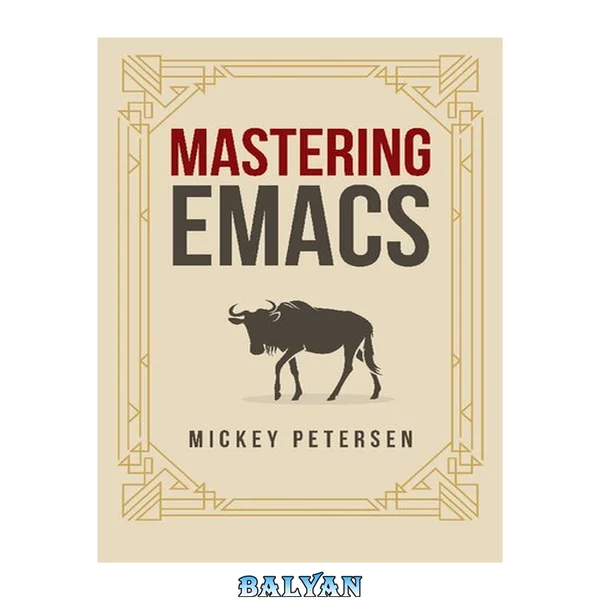
Mastering Emacs
Mickey Petersenقیمت نهایی
۴۹٬۰۰۰ تومان
نسخه اصلی و اورجینال
بلافاصله پس از خرید، فایل کتاب روی دستگاه شما آمادهٔ دانلود است.
تحویل فوری
پرداخت امن
ضمانت فایل
پشتیبانی
مشخصات کتاب
- نویسنده
- Mickey Petersen
- ناشر
- Mickey Petersen
- سال انتشار
- ۲۰۲۲
- فرمت
- زبان
- انگلیسی
- حجم فایل
- ۱٫۹ مگابایت
دربارهٔ کتاب
Learn Emacs from the ground up. In the Mastering Emacs ebook you will learn the answers to all the concepts that take weeks, months or even years to truly learn, all in one place. “Emacs is such a hard editor to learn” But why is it so hard to learn? As it turns out, it's almost always the same handful of issues that everyone faces. If you have tried to learn Emacs you will have struggled with the same problems everyone faces, and few tutorials to see you through it. I have dedicated the first half of the book to explaining the essence of Emacs — and in doing so, how to overcome these issues Memorizing Emacs’s keys: You will learn Emacs one key at a time, starting with the arrow keys. To feel productive in Emacs, it’s important you start on an equal footing — without too many new concepts and keys to memorize. Each chapter will introduce more keys and concepts so you can learn at your own pace. Discovering new modes and features: Emacs is a self-documenting editor, and I will teach you how to use the apropos, info, and describe system to discover new modes and features, or help you find things you forgot! Customizing Emacs: You don’t have to learn Emacs Lisp to alter a lot of Emacs’s functionality. Most changes you want to make are possible using Emacs’s Customize interface and I will show you how to use it efficiently. Understanding the terminology: Emacs is so old it predates almost every other editor and all modern user interfaces. I have an entire chapter dedicated to the unique terminology in Emacs; how it is different from other editors, and what that means to you. Contents Introduction Thank You 2022 Edition Update Emacs in the Future 2020 Edition Update Intended Audience What You'll Learn The Way of Emacs Guiding Philosophy LISP? Extensibility Important Conventions The Buffer The Window and the Frame The Point and Mark Killing, Yanking and CUA .emacs.d, init.el, and .emacs Major Modes and Minor Modes First Steps Installing and Starting Emacs Starting Emacs The Emacs Interface Keys Caps Lock as Control M-x: Execute Extended Command M-S-x: Execute Extended Command for Buffer Universal Arguments Discovering and Remembering Keys Configuring Emacs The Customize Interface Evaluating Elisp Code The Package Manager Custom Color Themes Getting Help The Info Manual Apropos The Describe System The Theory of Movement The Basics C-x C-f: Find file C-x C-s: Save Buffer C-x C-c: Exit Emacs C-x b: Switch Buffer C-x k: Kill Buffer ESC ESC ESC: Keyboard Escape C-/: Undo Window Management Working with Other Windows Frame Management Tab Bars and Tab Lines Tab Bar Mode Tab Line Mode Elemental Movement Navigation Keys Moving by Character Moving by Line Moving by Word Moving by S-Expressions Other Movement Commands Scrolling Bookmarks and Registers Selections and Regions Selection Compatibility Modes Setting the Mark Searching and Indexing Isearch: Incremental Search Occur: Print and Edit lines matching an expression Imenu: Jump to definitions Helm: Incremental Completion and Selection IDO: Interactively DO Things Grep: Searching the file system Other Movement Commands Conclusion The Theory of Editing Killing and Yanking Text Killing versus Deleting Yanking Text Transposing Text C-t: Transpose Characters M-t: Transpose Words C-M-t: Transpose S-expressions Other Transpose Commands Filling and Commenting Filling Commenting Search and Replace Case Folding Regular Expressions Changing Case Counting Things Text Manipulation Editable Occur Deleting Duplicates Flushing and Keeping Lines Copying and Killing Matching Lines Joining and Splitting Lines Whitespace Commands Keyboard Macros Basic Commands Advanced Commands Text Expansion Abbrev DAbbrev and Hippie Expand Indenting Text and Code TAB: Indenting the Current Line Indenting Regions Sorting and Aligning Sorting Aligning Other Editing Commands Zapping Characters Spell Checking Quoted Insert The Practicals of Emacs Exploring Emacs Reading the Manual Using Apropos C-h: Exploring Prefix keys C-h k: Describe what a key does C-h m: Finding mode commands M-S-x: Execute Extended Command for Buffer Project Management Xref: Cross-References in Emacs Working with Log Files Browsing Other Files TRAMP: Remote File Editing The Default Directory and Remote Editing Multi-Hops and User Switching EWW: Emacs Web Wowser Dired: Files and Directories Navigation Marking and Unmarking Operations Working Across Directories Shell Commands Compiling in Emacs Shells in Emacs M-x shell: Shell Mode M-x ansi-term: Terminal Emulator M-x eshell: Emacs's Shell Conclusion Other Resources Third-Party Packages and Tools Communities
کتابهای مشابه

Mastering Emacs
۴۹٬۰۰۰ تومان
Mastering Emacs
۴۹٬۰۰۰ تومان
Mastering Emacs
۴۹٬۰۰۰ تومان
Mastering Emacs
۴۹٬۰۰۰ تومان
Mastering Emacs
۴۹٬۰۰۰ تومان
Mastering Emacs
۴۹٬۰۰۰ تومان
Mastering Emacs
۴۹٬۰۰۰ تومان
Learning GNU Emacs
۴۹٬۰۰۰ تومان
Learning GNU Emacs, 3rd EditionLearning GNU Emacs, 3rd Edition
۴۹٬۰۰۰ تومان
An Introduction To Programming In Emacs Lisp
۴۹٬۰۰۰ تومان
An introduction to programming in emacs lisp
۴۹٬۰۰۰ تومان
An Introduction to Programming in Emacs Lisp
۴۹٬۰۰۰ تومان
قیمت نهایی
۴۹٬۰۰۰ تومان