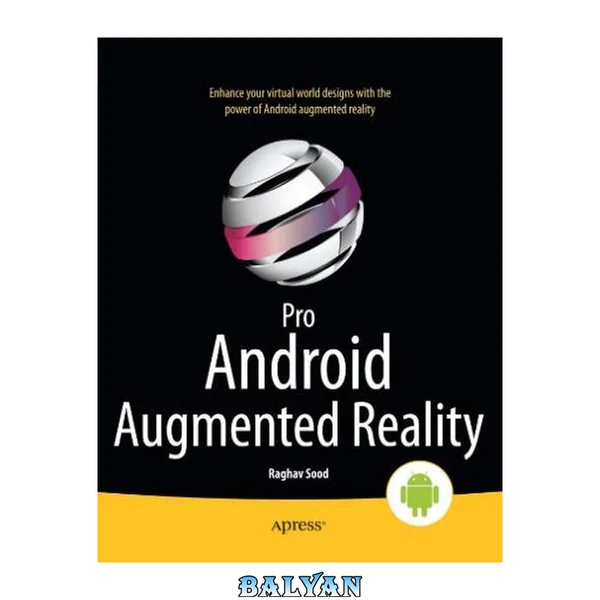
Augmented reality (AR) offers a live direct or indirect view of a physical, real-world environment, where the elements and surroundings are augmented by computer-generated sensory input such as graphics and GPS data. It makes a game more real. Your social media app puts you where want to be or go. Pro Android Augmented Reality walks you through the foundations of building an augmented reality application. From using various software and Android hardware sensors, such as an accelerometer or a magnetometer (compass), you'll learn the building blocks of augmented reality for both marker- and location-based apps. Case studies are included in this one-of-a-kind book, which pairs nicely with other Android development books. After reading Pro Android Augmented Reality, you'll be able to build augmented reality rich media apps or integrate all the best augmented reality into your favorite Android smartphone and/or tablet. What youll learn How to use most Android cameras How to find the user's location with GPS data How to detect movement and orientation of the device How to program against the accelerometer and compass How to use the AndAR library in marker recognition How to create an artificial horizon for your app How to integrate the Google Maps API into AR apps How to build enterprise augmented reality apps using the case studies in this book Who this book is for This book is for Android developers familiar with Android programming, but new to the camera, accelerometer, magnetometer and building augmented reality applications in general. Cover 1 Contents at a Glance 3 Contents 335 About the Author -1 About the Technical Reviewers 342 Acknowledgments 343 Introduction 4 Who This Book Is For 4 How This Book Is Structured 4 Prerequisites 5 Downloading the Code 5 Contacting the Author 6 Applications of Augmented Reality 7 Augmented Reality vs. Virtual Reality 7 Current Uses 7 Casual Users 8 Military and Law Enforcement 10 Vehicles 10 Medical 11 Trial Rooms 12 Tourism 12 Architecture 12 Assembly Lines 13 Cinema/Performance 13 Entertainment 13 Education 14 Art 14 Translation 14 Weather Forecasting 15 Television 15 Astronomy 15 Other 15 Future Uses 16 Virtual Experiences 16 Impossible Simulations 16 Holograms 17 Video Conferencing 17 Movies 17 Gesture Control 18 Summary 18 Basics of Augmented Reality on the Android Platform 19 Creating the App 19 Camera 20 Orientation Sensor 27 Accelerometer 30 Global Positioning System(GPS) 34 Latitude and Longitude 35 ProAndroidAR2Activity.java 38 AndroidManifest.xml 42 main.xml 43 Sample LogCat Output 43 Summary 44 Adding Overlays 46 Widget Overlays 46 Layout Options 48 Updating main.xml with aRelativeLayout 50 TextView Variable Declarations 54 Updated onCreate 54 Displaying the Sensors’ Data 54 Updated AndroidManifest.xml 57 Testing the App 58 Markers 59 Activity.java 59 CustomObject Overlays 61 CustomRenderer 65 AndroidManifest 67 Summary 68 Artificial Horizons 69 A Non-AR Demo App 69 The XML 70 The Java 71 Updating the Activity 79 The Android Manifest 81 Testing the Completed App 82 An AR Demo App 84 Setting Up the Project 85 Updating the XML 86 Updating the Java Files 90 Testing the Completed AR app 96 Summary 97 Common and Uncommon Errors and Problems 98 Layout Errors 98 UI Alignment Issues 98 ClassCastException 99 Camera Errors 100 Failed to Connect to Camera Service 100 Camera.setParameters() failed 101 Exception in setPreviewDisplay() 102 AndroidManifest Errors 103 Security Exceptions 103 104 104 Errors Related to Maps 105 The Keys 105 Not Extending MapActivity 105 Debugging the App 106 LogCat 106 Black and White Squares When Usingthe Camera 107 Miscellaneous 108 Not Getting a Location Fix from the GPS 108 Compass Not Working 108 Summary 109 A Simple LocationBased App Using Augmented Reality and the Maps API 110 Editing the XML 112 Creating Menu Resources 114 Layout Files 115 Getting API Keys 120 Getting the MD5 of Your Keys 121 Java Code 121 Main Activity 122 FlatBack.java 131 FixLocation.java 135 Running the App 138 Common errors 141 Summary 142 A Basic Navigational App Using Augmented Reality, the GPS, and Maps 143 The New App 143 Updated XML files 144 Updated Java files 147 Updated AndroidManifest 157 The Completed App 157 Summary 160 A 3D Augmented Reality Model Viewer 161 Key Features of this App 162 The Manifest 164 Java Files 165 Main Activity 165 AssetsFileUtility.java 170 BaseFileUtil.java 171 CheckFileManagerActivity.java 172 Configuration File 177 Working with Numbers 177 Group.java 180 Instructions.java 182 Working with Light 183 Creating a Material 185 MemUtil.java 188 Model.java 189 Model3D.java 191 Viewing the Model 193 Parsing .mtl files 201 Parsing the .obj files 205 ParseException 209 Rendering 209 SDCardFileUtil.java 211 SimpleTokenizer.java 212 Util.java 213 3D Vectors 215 XML Files 216 Strings.xml 216 Layout for the Rows 217 instructions_layout.xml 217 List Header 218 main.xml 218 HTML Help File 219 Completed App 221 Summary 222 An Augmented Reality Browser 223 The XML 224 The Java Code 225 Getting the Data 244 ScreenPositionUtility 256 The UI Works 257 Utility Classes 275 Components 287 Customized Widget 305 Controlling the Camera 307 The Global Class 313 Summary 320 Index 321 A, B 321 C 324 D 324 E 324 F 324 G 324 H 325 I 325 J, K 325 L 326 M 327 N 327 O 328 P, Q 328 R 328 S 329 T 329 U 330 V 330 W 330 X, Y 331 Z 331 Apress
Augmented reality (AR)offers alive direct or indirect view of a physical, real-world environment, where the elements and surroundingsare augmented by computer-generated sensory input such as graphics and GPS data. It makes a game more real. Your social media app puts you where want to be or go.
Pro Android Augmented Reality walks you through the foundations of building an augmented reality application. From using various software and Android hardware sensors, such as an accelerometer or a magnetometer (compass), you'll learn the building blocks of augmented reality for both marker- and location-based apps.
Case studies are included in this one-of-a-kind book, which pairs nicely with other Android development books.After readingPro Android Augmented Reality, you'll be able to buildaugmented realityrich media apps orintegrate all the bestaugmented realityinto yourfavorite Android smartphone and/or tablet.
What youâll learn
- How to use most Android cameras
- How to find the user's location with GPS data
- How to detect movement and orientation of the device
- How to program against the accelerometer and compass
- How to use the AndAR library in marker recognition
- How to create an artificial horizon for your app
- How to integrate the Google Maps API into AR apps
- How to build enterpriseaugmented realityapps using the case studies in this book
Who this book is forThis book is for Android developers familiar with Android programming, but new to the camera, accelerometer, magnetometer and buildingaugmented realityapplications in general.
Table of Contents
- Applicationsof Augmented Reality
- Basics of Augmented Reality on the Android Platform
- Adding Overlays
- Artificial Horizons
- Other Features of Augmented Reality
- A Simple App Using AR
- A More Complex Project Using More AR Features
- A Project Using All AR Features
- An AR Game