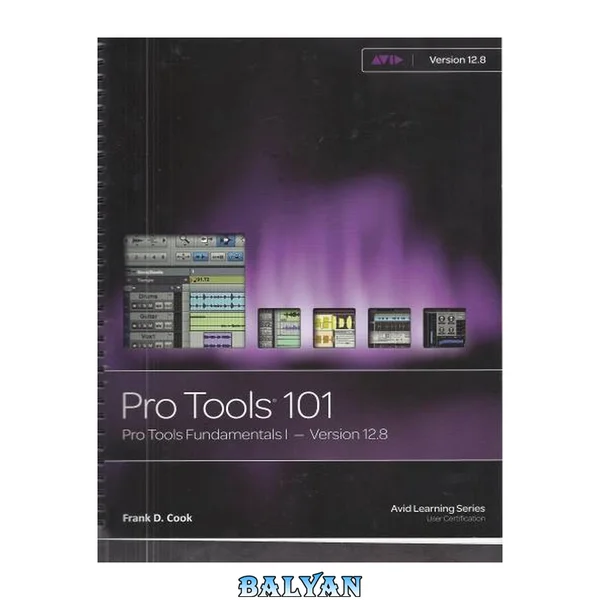
pPRO TOOLS 101 OFFICIAL COURSEWARE takes a comprehensive approach to learning the fundamentals of Pro Tools systems. Now updated for Pro Tools 9 software, this new edition from the definitive authority on Pro Tools covers everything you need to know to complete a Pro Tools project. Learn to build sessions that include multitrack recordings of live instruments, MIDI sequences, software synthesizers, and virtual instruments. Through hands-on tutorials, develop essential techniques for recording, editing, and mixing. The included DVD-ROM offers tutorial files and videos, additional documentation, and Pro Tools sessions to accompany the projects in the text. Developed as the foundation course of the official Avid Pro Tools Certification program, the guide can be used to learn on your own or to pursue formal Pro Tools certification through a an Avid Authorized Training Partner. Join the ranks of audio professionals around the world as you unleash the creative power of your Pro Tools system./p Contents 10 Preface: Welcome to Pro Tools 101 20 About This Book 20 Pro Tools 9.0 Edition 20 The DVD at the Back of the Book 20 Course Prerequisites 21 Course Organization and Sequence 22 Part I: Background Information 22 Part II: Working with Sessions 22 Part III: Hands-On Projects 22 Part IV: Course Completion 22 Conventions and Symbols Used in This Book 23 Menu and Key Commands 23 Icons 23 Introduction to Pro Tools 23 Creation 24 Recording 24 Editing 24 Mixing 24 Mastering 24 The Avid Authorized Training Program 24 Curriculum and Certification Levels 25 Courses Offered in the Training Program 25 Training Program Course Configuration 26 How Can I Learn More? 27 DVD-ROM Downloads 27 Part I: Background Information 28 Chapter 1: Getting to Know Pro Tools 30 Objectives 30 What Is Pro Tools? 31 The Story of Pro Tools 32 Basics of Digital Audio 40 Pro Tools System Configurations 44 Complete Production Toolkit 2 51 Cross-Platform Issues 51 Chapter 2: Getting Inside Pro Tools 54 Objectives 54 Introduction 55 Target Systems 55 Pro Tools File Structure 55 Starting Pro Tools 58 The Pro Tools Software Interface 61 Edit Tool Functions 72 Edit Mode Features 77 Time Scales and Rulers 78 MIDI Control Features 82 Part II: Working with Sessions 86 Chapter 3: Creating Your First Session 88 Objectives 88 Introduction 89 Quick Start 89 Creating and Configuring a Pro Tools Session 89 The Playback Cursor and the Edit Cursor 97 Saving, Locating, and Opening Existing Sessions 99 Chapter 4: Making Your First Audio Recording 104 Objectives 104 Introduction 105 Before Recording 105 Preparing to Record 106 Recording and Managing Audio 110 Organizing after Recording 111 Chapter 5: Importing Media into Your Session 118 Objectives 118 Introduction 119 Considerations Prior to Import 119 Importing Audio 121 Importing Video 127 Chapter 6: Making Your First MIDI Recording 130 Objectives 130 Introduction 131 MIDI Basics 131 MIDI in Pro Tools 132 Preparing to Record MIDI 135 Using Virtual Instruments 140 Setting the Default Meter, Tempo, and Key Signature 148 Recording MIDI 151 Viewing MIDI Data on MIDI-Compatible Tracks 152 Chapter 7: Selecting and Navigating 156 Objectives 156 Introduction 157 Using the Universe View 157 Types of Selection 158 Working with Selections 162 Adjusting the Session View 167 Adding Markers to Your Session 173 Chapter 8: Basic Editing Techniques 180 Objectives 180 Introduction 181 Selecting Playback Options 181 Using the Edit Modes 182 Editing Regions 186 Moving and Trimming Regions 192 Creating Fade Effects 199 Undoing Your Work 202 Chapter 9: Basic Mixing Techniques 206 Objectives 206 Introduction 207 Basic Mixer Terminology 207 The Pro Tools Mix Window 208 Basic Automation 214 Real-Time Plug-Ins 218 Chapter 10: Finishing Your Work 222 Objectives 222 Introduction 223 Backing Up Your Session 223 Creating a Stereo Mixdown 226 Burning Songs to CD 232 Part III: Hands-On Projects 238 Overview: Project Introduction and Setup 240 Getting to Know the Projects 240 Pro Tools System Requirements 240 Installing Project Session Files 241 Project 1: Music Hands-On Project 242 Powering Up 243 Opening the Music Project 243 Creating New Tracks 247 Working with MIDI Data 249 Working with Audio Data 254 Mixing in Pro Tools 258 Finishing Your Work 263 Project 2: Post Hands-On Project 270 Powering Up 271 Opening the Post Project 271 Creating New Tracks 275 Importing Media 276 Editing in Pro Tools 280 Mixing in Pro To 284 Finishing Your Work 291 Part IV: Course Completion 294 Overview: Information for Course Completion 296 Locating a Training Center 296 Additional Projects 297 Course Assessment Exam 298 Certificate of Completion 298 Pro Tools 110 Promotion 298 Appendix A: DigiRack Plug-Ins 300 Appendix B: Creative Collection Plug-Ins 302 Index 304 A 304 B 305 C 305 D 306 E 307 F 307 G 308 H 308 I 308 J 309 K 309 L 309 M 309 N 311 O 311 P 311 Q 312 R 312 S 313 T 314 U 315 V 315 W 315 X 315 Z 315 Contents......Page 10 The DVD at the Back of the Book......Page 20 Course Prerequisites......Page 21 Part IV: Course Completion......Page 22 Introduction to Pro Tools......Page 23 The Avid Authorized Training Program......Page 24 Courses Offered in the Training Program......Page 25 Training Program Course Configuration......Page 26 DVD-ROM Downloads......Page 27 Part I: Background Information......Page 28 Objectives......Page 30 What Is Pro Tools?......Page 31 The Story of Pro Tools......Page 32 Basics of Digital Audio......Page 40 Pro Tools System Configurations......Page 44 Cross-Platform Issues......Page 51 Objectives......Page 54 Pro Tools File Structure......Page 55 Starting Pro Tools......Page 58 The Pro Tools Software Interface......Page 61 Edit Tool Functions......Page 72 Edit Mode Features......Page 77 Time Scales and Rulers......Page 78 MIDI Control Features......Page 82 Part II: Working with Sessions......Page 86 Objectives......Page 88 Creating and Configuring a Pro Tools Session......Page 89 The Playback Cursor and the Edit Cursor......Page 97 Saving, Locating, and Opening Existing Sessions......Page 99 Objectives......Page 104 Before Recording......Page 105 Preparing to Record......Page 106 Recording and Managing Audio......Page 110 Organizing after Recording......Page 111 Objectives......Page 118 Considerations Prior to Import......Page 119 Importing Audio......Page 121 Importing Video......Page 127 Objectives......Page 130 MIDI Basics......Page 131 MIDI in Pro Tools......Page 132 Preparing to Record MIDI......Page 135 Using Virtual Instruments......Page 140 Setting the Default Meter, Tempo, and Key Signature......Page 148 Recording MIDI......Page 151 Viewing MIDI Data on MIDI-Compatible Tracks......Page 152 Objectives......Page 156 Using the Universe View......Page 157 Types of Selection......Page 158 Working with Selections......Page 162 Adjusting the Session View......Page 167 Adding Markers to Your Session......Page 173 Objectives......Page 180 Selecting Playback Options......Page 181 Using the Edit Modes......Page 182 Editing Regions......Page 186 Moving and Trimming Regions......Page 192 Creating Fade Effects......Page 199 Undoing Your Work......Page 202 Objectives......Page 206 Basic Mixer Terminology......Page 207 The Pro Tools Mix Window......Page 208 Basic Automation......Page 214 Real-Time Plug-Ins......Page 218 Objectives......Page 222 Backing Up Your Session......Page 223 Creating a Stereo Mixdown......Page 226 Burning Songs to CD......Page 232 Part III: Hands-On Projects......Page 238 Pro Tools System Requirements......Page 240 Installing Project Session Files......Page 241 Project 1: Music Hands-On Project......Page 242 Opening the Music Project......Page 243 Creating New Tracks......Page 247 Working with MIDI Data......Page 249 Working with Audio Data......Page 254 Mixing in Pro Tools......Page 258 Finishing Your Work......Page 263 Project 2: Post Hands-On Project......Page 270 Opening the Post Project......Page 271 Creating New Tracks......Page 275 Importing Media......Page 276 Editing in Pro Tools......Page 280 Mixing in Pro To......Page 284 Finishing Your Work......Page 291 Part IV: Course Completion......Page 294 Locating a Training Center......Page 296 Additional Projects......Page 297 Pro Tools 110 Promotion......Page 298 Appendix A: DigiRack Plug-Ins......Page 300 Appendix B: Creative Collection Plug-Ins......Page 302 A......Page 304 C......Page 305 D......Page 306 F......Page 307 I......Page 308 M......Page 309 P......Page 311 R......Page 312 S......Page 313 T......Page 314 Z......Page 315 With a step-by-step, tutorial-driven, introductory approach, this text helps you master the fundamental operations of the Pro Tools recording software, whether you are aiming to complete the Pro Tools certification program or are just seeking a better working knowledge