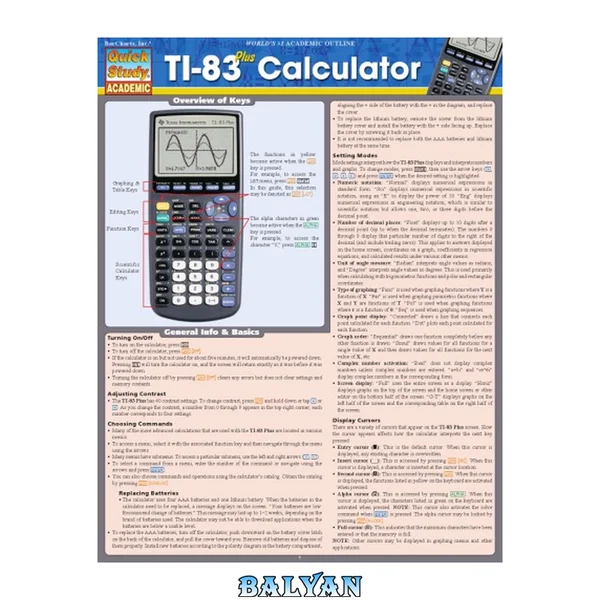
Finally, a For Dummies guide to a hugely popular calculator. Widely used by high school and college students in a wide range of math courses, the Texas Instruments TI83+ graphing calculator sold 2.5 million units in just the last Team DDU TI-83 Plus Graphing Calculator for Dummies 1 Cover 1 Table of Contents 16 Introduction 24 About This Book 24 Conventions Used in This Book 25 What You抮e Not to Read 25 Foolish Assumptions 26 How This Book Is Organized 26 Part I: Making Friends with the Calculator 26 Part II: Advanced Functions, Complex Numbers, and Solving Equations 26 Part III: Dealing with Finances 26 Part IV: Graphing and Analyzing Functions 27 Part V: Sequences, Parametric Equations, and Polar Equations 27 Part VI: Probability and Statistics 27 Part VII: Dealing with Matrices 27 Part VIII: Communicating with PCs and Other Calculators 27 Part IX: The Part of Tens 27 Icons Used in This Book 28 Where to Go from Here 28 Part I: Making Friends with the Calculator 30 Chapter 1: Coping with the Basics 32 When to Change the Batteries 32 Turning the Calculator On and Off 33 Using the Keyboard 33 Accessing the Functions in Yellow 34 Using the 蒶ey to write words 34 Using the 誯ey 35 Using the 裬ey 35 Using the Arrow keys 35 What Is the Home Screen? 36 The Busy Indicator 36 Editing Entries 36 Using Menus 37 Accessing a menu 37 Scrolling a Menu 38 Selecting Menu Items 38 Setting the Mode 39 Using the Catalog 41 Chapter 2: Doing Basic Arithmetic 44 Entering and Evaluating Expressions 44 Important Keys 45 Order of Operations 46 Using the Previous Answer 47 Recycling the Last Entry 48 Storing Variables 49 Combining Expressions 50 Part II: Advanced Functions, Complex Numbers, and Solving Equations 52 Chapter 3: The Math and Angle Menus 54 The Math Menu and Submenus 54 Using Math menu functions 55 Inserting a Math menu function 55 The Math MATH submenu 56 The Math NUM submenu 58 The Angle Menu 59 Converting degrees to radians 60 Converting radians to degrees 61 Converting between degrees and DMS 61 Entering angles in DMS measure 62 Overriding the mode of the angle 62 Chapter 4: Dealing with Complex Numbers 64 Setting the Mode 64 Using Complex Numbers 65 The Math CPX Submenu 65 Finding the conjugate of a complex number 66 Finding the real or imaginary part of a complex number 66 Finding the polar angle and modulus (magnitude) of a complex number 66 Converting between rectangular and polar form 67 Chapter 5: Solving Equations 68 Using the Equation Solver 68 Step 1. Set the mode 69 Step 2. Enter or edit the equation to be solved 69 Step 3. Assign values to variables 70 Step 4. Define the solution bounds 70 Step 5. Guess a solution 71 Step 6. Solve the equation 72 Finding Multiple Solutions 72 Part III: Dealing with Finances 74 Chapter 6: Finding the Best Deal 76 Finding the Best Interest Rate 76 Finding the effective rate 76 Finding the nominal rate 77 Leasing versus Borrowing 78 Chapter 7: Loans and Mortgages 80 Using the TVM Solver 80 Using a TVM Value 83 Finding Principal and Interest 83 Finding the Balance 84 Chapter 8: Savings and Investments 86 Reaching Financial Goals 86 Finding Future Value of Money 87 Finding Present Value of Money 88 Part IV: Graphing and Analyzing Functions 90 Chapter 9: Graphing Functions 92 Entering Functions 92 Graphing Functions 93 Graphing Several Functions 96 Is Your Graph Accurate? 99 Piecewise-Defined Functions 100 Graphing Trig Functions 102 Viewing the Function and Graph on the Same Screen 102 Saving and Recalling a Graph 103 Chapter 10: Exploring Functions 106 Using Zoom Commands 106 Tracing a Graph 109 Displaying Functions in a Table 111 Clearing a Table 114 Viewing the Table and the Graph on the Same Screen 115 Chapter 11: Evaluating Functions 118 Finding the Value of a Function 118 Finding the Zeros of a Function 120 Finding Min & Max 121 Finding Points of Intersection 122 Finding the Slope of a Curve 123 Evaluating a Definite Integral 125 Chapter 12: Drawing on a Graph 128 Drawing Lines, Circles, Tangents, and Functions on a Graph 129 Drawing line segments 129 Drawing horizontal and vertical lines 130 Drawing circles on a graph 130 Drawing tangents on a graph 131 Drawing functions on a graph 131 Drawing the inverse function 132 Shading Between Functions 132 Writing Text on a Graph 134 Freehand Drawing on a Graph 135 Erasing Drawings 135 Saving Graphs and Drawings 136 Part V: Sequences, Parametric Equations, and Polar Equations 138 Chapter 13: Graphing Sequences 140 Entering a Sequence 140 Graphing Sequences 144 Graphing Several Sequences 148 Saving a Sequence Graph 149 Drawing on a Sequence Graph 149 Chapter 14: Exploring Sequences 150 Exploring Sequence Graphs 150 Using ZOOM in Sequence mode 150 Tracing a sequence 152 Displaying Sequences in a Table 155 Clearing a User-Defined Table 158 Viewing the Table and the Graph on the Same Screen 159 Evaluating Sequences 160 Chapter 15: Parametric Equations 162 Entering Parametric Equations 162 Graphing Parametric Equations 164 Graphing several equations 167 Using ZOOM commands 169 Saving a parametric graph 171 Tracing a parametric graph 171 Displaying Equations in a Table 172 Clearing a user-defined table 175 Viewing the table and the graph on the same screen 176 Evaluating Parametric Equations 177 Finding Derivatives 178 Chapter 16: Polar Equations 180 Converting Coordinates 180 Entering Polar Equations 183 Graphing Polar Equations 184 Graphing several equations 187 Using ZOOM commands 188 Saving a polar graph 190 Tracing a polar graph 190 Displaying Equations in a Table 192 Clearing a user-defined table 195 Viewing the table and the graph on the same screen 195 Evaluating Polar Equations 197 Finding Derivatives 198 Part VI: Probability and Statistics 200 Chapter 17: Probability 202 Permutations and Combinations 202 Generating Random Numbers 203 Generating random integers 203 Generating random decimals 203 Chapter 18: Dealing with Statistical Data 206 Entering Data 206 Deleting and Editing Data 207 Creating User-Named Data Lists 208 Using Formulas to Enter Data 210 Saving and Recalling Data Lists 211 Sorting Data Lists 212 Chapter 19: Analyzing Statistical Data 214 Plotting One-Variable Data 214 Constructing a histogram 215 Constructing a box plot 217 Plotting Two-Variable Data 218 Tracing Statistical Data Plots 218 Analyzing Statistical Data 220 One-variable data analysis 221 Two-variable data analysis 222 Regression Models 222 Part VII: Dealing with Matrices 226 Chapter 20: Creating and Editing Matrices 228 Defining a Matrix 228 Editing a Matrix 230 Displaying Matrices 230 Augmenting Two Matrices 230 Copying One Matrix to Another 231 Deleting a Matrix from Memory 232 Chapter 21: Using Matrices 234 Matrix Arithmetic 234 Finding the Determinant 237 Solving a System of Equations 238 Part VIII: Communicating with PCs and Other Calculators 240 Chapter 22: Communicating with a PC with TI ConnectTM 242 Downloading TI Connect 242 Installing and Running TI Connect 243 Connecting Calculator and PC 243 Transferring Files 243 Upgrading the OS 244 Chapter 23: Communicating Between Calculators 246 Linking Calculators 246 Transferring Files 247 Transferring Files to Several Calculators 249 Part IX: The Part of Tens 252 Chapter 24: Ten Great Applications 254 Ten Great Applications 255 Downloading an Application 256 Installing an Application 256 Chapter 25: Eight Common Errors 258 Using c Instead of 胻o Indicate That a Number Is Negative 258 Indicating the Order of Operations Incorrectly by Using Parentheses 258 Improperly Entering the Argument for Menu Functions 259 Entering an Angle in Degrees While in Radian Mode 259 Graphing Trigonometric Functions While in Degree Mode 259 Graphing Functions When Stat Plots Are Active 260 Graphing Stat Plots When Functions or Other Stat Plots Are Active 260 Setting the Window Inappropriately for Graphing 260 Chapter 26: Eleven Common Error Messages 262 ARGUMENT 262 BAD GUESS 262 DATA TYPE 263 DIM MISMATCH 263 DOMAIN 263 INVALID 263 INVALID DIM 263 NO SIGN CHNG 264 SINGULAR MAT 264 SYNTAX 264 WINDOW RANGE 264 Index 266 Team DDU 1
would You Order A Multi-course Gourmet Buffet And Just Eat Salad? If You Have A Ti-83 Plus Graphing Calculator, You Have A Veritable Feast Of Features And Functions At Your Fingertips, But Chances Are You Don’t Take Full Advantage Of Them. This Friendly Guide Will Help You Explore Your Ti-83 Plus Graphing Calculator And Use It For All It’s Worth, And That’s A Lot. With Easy-to-follow, Step-by-step Instructions Plus Screen Shots, ti-83 Plus Graphing Calculator For Dummies Shows You How To:
- perform Basic Arithmetic Operations
- use Zoom And Panning To Get The Best Screen Display
- use All The Functions In The Math Menu, Including The Four Submenus: Math, Num, Cps, And Prb
- use The Fantastic Finance Application To Decide Whether To Lease Or Get A Loan And Buy, Calculate The Best Interest, And More
- graph And Analyze Functions By Tracing The Graph Or By Creating A Table Of Functional Values, Including Graphing Piecewise-defined And Trigonometric Functions
- explore And Evaluate Functions, Including How To Find The Value, The Zeros, The Point Of Intersection Of Two Functions, And More
- draw On A Graph, Including Line Segments, Circles, And Functions, Write Text On A Graph, And Do Freehand Drawing
- work With Sequences, Parametric Equations, And Polar Equations
- use The Math Probability Menu To Evaluate Permutations And Combinations
- enter Statistical Data And Graph It As A Scatter Plot, Histogram, Or Box Plot, Calculate The Median And Quartiles, And More
- deal With Matrices, Including Finding The Inverse, Transpose, And Determinant And Using Matrices To Solve A System Of Linear Equations
Once Youdiscover All You Can Do With Your Ti-83 Plus Graphing Calculator, You’ll Find Out How To Make It Do More! This Guide Shows You How To Download And Install The Free Ti Connect Software To Connect Your Calculator To Your Computer, And How To Link It To Other Calculators And Transfer Files. It Shows You How To Help Yourself To More Than 40 Applications You Can Download From The Ti Web Site, And Most Of Them Are Free. You Can Choose From Advanced Finance, Cellsheet, That Turns Your Calculator Into A Spread Sheet, Notefolio That Turns It Into A Word Processor, Organizer That Lets You Schedule Events, Create To-do Lists, Save Phone Numbers And E-mail Addresses, And More.
Get This Book And Discover How Your Ti-83 Plus Graphing Calculator Can Solve All Kinds Of Problems For You.
Would you order a multi-course gourmet buffet and just eat salad? If you have a TI-83 Plus graphing calculator, you have a veritable feast of features and functions at your fingertips, but chances are you don't take full advantage of them. This friendly guide will help you explore your TI-83 Plus Graphing Calculator and use it for all it's worth, and that's a lot. With easy-to-follow, step-by-step instructions plus screen shots, TI-83 Plus Graphing Calculator For Dummies shows you how to: Perform basic arithmetic operations Use Zoom and panning to get the best screen display Use all the functions in the Math menu, including the four submenus: MATH, NUM, CPS, and PRB Use the fantastic Finance application to decide whether to lease or get a loan and buy, calculate the best interest, and more Graph and analyze functions by tracing the graph or by creating a table of functional values, including graphing piecewise-defined and trigonometric functions Explore and evaluate functions, including how to find the value, the zeros, the point of intersection of two functions, and more Draw on a graph, including line segments, circles, and functions, write text on a graph, and do freehand drawing Work with sequences, parametric equations, and polar equations Use the Math Probability menu to evaluate permutations and combinations Enter statistical data and graph it as a scatter plot, histogram, or box plot, calculate the median and quartiles, and more Deal with matrices, including finding the inverse, transpose, and determinant and using matrices to solve a system of linear equations Once you discover all you can do with your TI-83 Plus Graphing Calculator, you'll find out how to make it do more! This guide shows you how to download and install the free TI Connect software to connect your calculator to your computer, and how to link it to other calculators and transfer files. It shows you how to help yourself to more than 40 applications you can download from the TI Web site, and most of them are free. You can choose from Advanced Finance, CellSheet, that turns your calculator into a spread sheet, NoteFolio that turns it into a word processor, Organizer that lets you schedule events, create to-do lists, save phone numbers and e-mail addresses, and more. Get this book and discover how your TI-83 Plus Graphing Calculator can solve all kinds of problems for you. A hands-on guide to working with the TI-83+ graphing calculator explores the diverse features and functions of the device, including its ten preloaded software applications--such as a portable spreadsheet, games, electronic flashcards, and a calendar, address, and task list--and explains how to connect the device with a computer and customize it with downloadable applications. Original. (Intermediate)