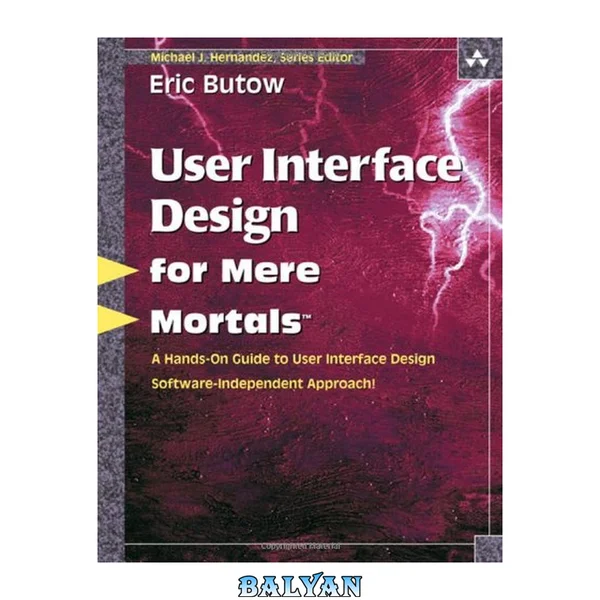
This is the eBook version of the printed book. If the print book includes a CD-ROM, this content is not included within the eBook version. User Interface Design for Mere Mortals takes the mystery out of designing effective interfaces for both desktop and web applications. It is recommended reading for anyone who wants to provide users of their software with interfaces that are intuitive and easy-to-use. The key to any successful application lies in providing an interface users not only enjoy interacting with but which also saves time, eliminates frustration, and gets the job done with a minimum of effort. Readers will discover the secrets of good interface design by learning how users behave and the expectations that users have of different types of interfaces. Anyone who reads User Interface Design for Mere Mortals will benefit from • Gaining an appreciation of the differences in the “look and feel” of interfaces for a variety of systems and platforms • Learning how to go about designing and creating the most appropriate interface for the application or website being developed • Becoming familiar with all the different components that make up an interface and the important role that each of those components plays in communicating with users • Understanding the business benefits that flow from good interface design such as significantly reduced support costs • Gaining invaluable insights into how users behave, including the seven stages of human interaction with computers • Working through case study based, in-depth analysis of each of the stages involved in designing a user interface • Acquiring practical knowledge about the similarities and differences between designing websites and traditional desktop applications • Learning how to define, conduct, and analyze usability testing Through the use of the proven For Mere Mortals format, User Interface Design for Mere Mortals succeeds in parting the veil of mystery surrounding effective user interface design. Whatever your background, the For Mere Mortals format makes the information easily accessible and usable. Contents Preface Introduction CHAPTER 1 Brief Histories CHAPTER 2 Concepts and Issues CHAPTER 3 Making the Business Case CHAPTER 4 Good Design CHAPTER 5 How User Behave CHAPTER 6 Analyzing Your Users CHAPTER 7 Designing a User Interface CHAPTER 8 Designing a Web Site CHAPTER 9 Usability APPENDIX A Answers to Review Questions APPENDIX B Recommended Reading Glossary References Index User Interface Design for Mere Mortals......Page 1 Contents......Page 8 Preface......Page 16 Acknowledgments......Page 18 About the Author......Page 20 Who Should Read This Book......Page 22 How to Read This Book......Page 23 How This Book Is Organized......Page 24 The History of Graphical User Interfaces......Page 26 Xerox Alto......Page 27 Apple Macintosh......Page 28 Microsoft Windows......Page 30 Linux......Page 32 The Birth of the Internet......Page 33 Internet Explorer and Its Impact on Design......Page 34 Differences in Look and Feel......Page 35 Mac OS GUI......Page 36 Linux GUI......Page 37 Web Pages......Page 38 Summary......Page 39 Review Questions......Page 40 CHAPTER 2 Concepts and Issues......Page 42 Operating Systems......Page 43 Parts of a GUI......Page 44 Internet......Page 48 World Wide Web......Page 50 User Interface Models......Page 52 Command-Line Interface......Page 53 Graphical User Interfaces......Page 55 Web Interfaces......Page 57 Interfaces That Integrate with These Models......Page 59 Other Interfaces......Page 61 Windows Vista......Page 63 Mac OS X......Page 64 Linux......Page 65 Web Design Improvments......Page 66 What’s Still Not Fixed......Page 67 Web Browsers and Their Impact on Design......Page 68 Up-and-Coming Interfaces......Page 69 Usability Terms......Page 72 Types of Usability Design......Page 73 Testing Methods......Page 74 User Analysis Trends......Page 75 Accessibility Issues......Page 76 Web Site Accessibility......Page 77 Operating System Accessibility......Page 79 Summary......Page 80 Review Questions......Page 82 CHAPTER 3 Making the Business Case......Page 84 Gaps Between Stakeholders......Page 85 What Engineers or Designers Expect......Page 86 What Managers Expect......Page 87 Developing a Business Case Framework......Page 88 The Benefits of Good Design......Page 89 Long-Term Production Costs......Page 90 Lower Customer Support Costs......Page 91 The Case for Profitability......Page 92 ROI Specifics......Page 94 Calculate the Dollar Amount......Page 95 The Usability Engineering Life Cycle......Page 96 Phase 1: Requirements Analysis......Page 97 Phase 2: Design, Testing, and Development......Page 98 Phase 3: Installation and Feedback......Page 100 The Case Study: Mike’s Bikes......Page 101 Summary......Page 107 Review Questions......Page 109 CHAPTER 4 Good Design......Page 110 Good Design Goals......Page 111 Are Designers Against Users?......Page 112 Designer Constraints......Page 113 Bridging the Gap......Page 114 Paper Prototyping and Storyboarding......Page 115 What Paper Prototyping Is . . . and Isn’t......Page 116 Overcoming Skepticism......Page 117 Advantages......Page 118 Disadvantages......Page 120 Good Documentation Design......Page 121 Create a Documentation Plan......Page 122 Why You Should Care About Good Design......Page 129 Case Study: Creating a Paper Prototype Test......Page 130 Summary......Page 135 Review Questions......Page 136 CHAPTER 5 How User Behave......Page 138 The Psychology of User Actions......Page 139 Psychological Types......Page 140 The Four Primary Temperaments......Page 142 The Seven Stages of Human Action......Page 146 Knowledge: Brain Versus World......Page 147 Task Structures......Page 149 Conscious and Subconscious Behavior......Page 150 Transforming Difficult Tasks into Simple Ones......Page 151 Creating a Conceptual Model......Page 152 Case Study: Interviewing to Establish the Conceptual Model......Page 154 Summary......Page 157 Review Questions......Page 158 CHAPTER 6 Analyzing Your Users......Page 160 The Users’ Mental Model......Page 161 The Result......Page 163 Implementation Versus Mental Models......Page 164 The Experience Bell Curve......Page 165 Different Needs for Different Groups......Page 166 Understanding the User’s Goals......Page 168 User and Task Analysis......Page 171 Constructing Personas......Page 172 Watching Users in Action......Page 177 Persona Evaluation......Page 179 Case Study: Producing a Primary Persona......Page 181 Summary......Page 185 Review Questions......Page 186 CHAPTER 7 Designing a User Interface......Page 188 Designing the Persona-Based Interaction Framework......Page 189 Defining the Framework......Page 191 Applying Design Imperatives......Page 196 Patterns......Page 197 Software Postures......Page 198 Interface Behaviors......Page 202 Using the Mouse Pointer......Page 203 Window Behaviors......Page 206 Visual Cues......Page 211 Pop-Up Messages......Page 212 Search Engines......Page 213 Making Features Easy to Find......Page 214 Assistants and Wizards......Page 215 Refining the Form and Behavior......Page 216 Case Study: Refining the Paper Prototype Test......Page 217 Summary......Page 219 Review Questions......Page 221 CHAPTER 8 Designing a Web Site......Page 222 GUI Rules......Page 223 Web Rules......Page 224 Web Myths......Page 225 Usage......Page 226 Design......Page 227 Accessibility......Page 228 Different Types of Web Sites......Page 230 “Back-End” Programming......Page 238 Form Processing......Page 239 Colors and Text......Page 240 Graphics......Page 241 Bread Crumbs......Page 242 Keep It Consistent......Page 243 Breaking GUI Rules......Page 244 Case Study: Interface Navigation Features......Page 245 Summary......Page 247 Review Questions......Page 248 CHAPTER 9 Usability......Page 250 Observing, Listening to, and Engaging Users......Page 251 Other Methods of User Interaction......Page 252 Defining Your Usability Test......Page 253 Picking Your Test Participants......Page 254 Selecting, Organizing, and Creating Test Scenarios......Page 255 Determining How to Measure Usability......Page 256 Preparing Test Materials......Page 257 Conducting a Pilot Test......Page 258 Honing Your Observation Skills......Page 259 Honing Your Interviewing Skills......Page 261 An Ongoing Relationship......Page 263 Conducting the Real Test......Page 264 Analyzing and Presenting the Data......Page 266 The Report......Page 268 The Presentation......Page 270 Preparing a Highlight Presentation......Page 271 Changing the Product and Process......Page 272 Case Study: Implementing the Paper Prototype Test......Page 273 Summary......Page 276 Review Questions......Page 277 APPENDIX A: Answers to Review Questions......Page 278 APPENDIX B: Recommended Reading......Page 290 B......Page 292 I......Page 293 P......Page 294 T......Page 295 W......Page 296 References......Page 298 B......Page 300 D......Page 301 F......Page 302 H......Page 303 M......Page 304 P......Page 305 Q......Page 306 S......Page 307 U......Page 308 W......Page 310 X-Y-Z......Page 311 User Interface Design for Mere Mortals 1 Contents 8 Preface 16 Acknowledgments 18 About the Author 20 Introduction 22 Who Should Read This Book 22 The Purpose of This Book 23 How to Read This Book 23 How This Book Is Organized 24 CHAPTER 1 Brief Histories 26 The History of Graphical User Interfaces 26 Xerox Alto 27 Apple Macintosh 28 Microsoft Windows 30 Linux 32 The History of Web Design 33 The Birth of the Internet 33 Mosaic 34 The Netscape Revolution 34 Internet Explorer and Its Impact on Design 34 Differences in Look and Feel 35 Windows GUI 36 Mac OS GUI 36 Linux GUI 37 Web Pages 38 Java and Other Web Programs 39 Summary 39 Review Questions 40 CHAPTER 2 Concepts and Issues 42 Computing Terms 43 Graphical User Interface (GUI) 43 Operating Systems 43 Parts of a GUI 44 Internet 48 World Wide Web 50 User Interface Models 52 Batch Interface 53 Command-Line Interface 53 The Text User Interface 55 Graphical User Interfaces 55 Web Interfaces 57 Interfaces That Integrate with These Models 59 Other Interfaces 61 Design Improvements and Aggravations 63 Windows Vista 63 Mac OS X 64 Linux 65 Web Design Improvments 66 What’s Still Not Fixed 67 Future Plans 68 Windows Vienna 68 Mac OS 68 Web Browsers and Their Impact on Design 68 Up-and-Coming Interfaces 69 Usability Terms 72 Usability Engineers 73 Usability Scientists 73 User Experience Professionals 73 Types of Usability Design 73 User Analysis Terms 74 The Goal-Directed Design Process 74 Testing Methods 74 User Analysis Trends 75 Accessibility Issues 76 Section 508 Accessibility 77 Web Site Accessibility 77 Operating System Accessibility 79 Summary 80 Review Questions 82 CHAPTER 3 Making the Business Case 84 Gaps Between Stakeholders 85 What Users Expect 86 What Engineers or Designers Expect 86 What Sales and Marketing People Expect 87 What Managers Expect 87 Developing a Business Case Framework 88 The Benefits of Good Design 89 Long-Term Production Costs 90 Lower Customer Support Costs 91 Greater Customer Retention 92 The Case for Profitability 92 Proving ROI 94 ROI Specifics 94 Calculate the Dollar Amount 95 The Usability Engineering Life Cycle 96 Phase 1: Requirements Analysis 97 Phase 2: Design, Testing, and Development 98 Phase 3: Installation and Feedback 100 The Never-Ending Process 101 The Case Study: Mike’s Bikes 101 Summary 107 Review Questions 109 CHAPTER 4 Good Design 110 Good Design Goals 111 Are Designers Against Users? 112 User Constraints 113 Designer Constraints 113 Bridging the Gap 114 Paper Prototyping and Storyboarding 115 What Paper Prototyping Is . . . and Isn’t 116 Overcoming Skepticism 117 Advantages 118 Disadvantages 120 Good Documentation Design 121 Create a Documentation Plan 122 Why You Should Care About Good Design 129 Case Study: Creating a Paper Prototype Test 130 Summary 135 Review Questions 136 CHAPTER 5 How User Behave 138 The Psychology of User Actions 139 Psychological Types 140 The Four Primary Temperaments 142 The Seven Stages of Human Action 146 Knowledge: Brain Versus World 147 Task Structures 149 Conscious and Subconscious Behavior 150 Transforming Difficult Tasks into Simple Ones 151 Creating a Conceptual Model 152 Case Study: Interviewing to Establish the Conceptual Model 154 Summary 157 Review Questions 158 CHAPTER 6 Analyzing Your Users 160 The Users’ Mental Model 161 The Result 163 Implementation Versus Mental Models 164 The Experience Bell Curve 165 Different Needs for Different Groups 166 Understanding the User’s Goals 168 User and Task Analysis 171 Constructing Personas 172 Watching Users in Action 177 Persona Evaluation 179 Case Study: Producing a Primary Persona 181 Summary 185 Review Questions 186 CHAPTER 7 Designing a User Interface 188 Designing the Persona-Based Interaction Framework 189 Real-World Requirements 191 Defining the Framework 191 Interaction Design 196 Applying Design Imperatives 196 Principles 197 Patterns 197 Software Postures 198 Interface Behaviors 202 Using the Mouse Pointer 203 Window Behaviors 206 Helping Users Find Information 211 Visual Cues 211 Audio Cues 212 Pop-Up Messages 212 Search Engines 213 Communicating with the Users 214 Making Features Easy to Find 214 Online Help 215 Assistants and Wizards 215 Refining the Form and Behavior 216 Case Study: Refining the Paper Prototype Test 217 Summary 219 Review Questions 221 CHAPTER 8 Designing a Web Site 222 Web Versus GUI: Similarities and Differences 223 GUI Rules 223 Web Rules 224 Internet-Based Applications 225 Web Myths 225 Usage 226 Design 227 Accessibility 228 Web Postures 230 Different Types of Web Sites 230 Why You Need Web Engineering 238 “Back-End” Programming 238 Form Processing 239 Databases 240 Web Standards 240 Colors and Text 240 Graphics 241 Navigation 242 Bread Crumbs 242 The Four Rules 243 Keep It Simple 243 Keep It Consistent 243 Keep It Current 244 Keep Navigability to Three Clicks 244 When Do You Break the Rules? 244 Breaking GUI Rules 244 Breaking Web Rules 245 Case Study: Interface Navigation Features 245 Summary 247 Review Questions 248 CHAPTER 9 Usability 250 Selecting Techniques for Your Usability Test 251 Observing, Listening to, and Engaging Users 251 Other Methods of User Interaction 252 Defining Your Usability Test 253 Goals and Concerns 254 Picking Your Test Participants 254 Selecting, Organizing, and Creating Test Scenarios 255 Determining How to Measure Usability 256 Preparing Test Materials 257 Conducting the Usability Test 258 Conducting a Pilot Test 258 Honing Your Observation Skills 259 Honing Your Interviewing Skills 261 An Ongoing Relationship 263 Caring for the Test Participants 264 Conducting the Real Test 264 Analyzing and Presenting Usability Test Results 266 Analyzing and Presenting the Data 266 The Report 268 The Presentation 270 Preparing a Highlight Presentation 271 Changing the Product and Process 272 Case Study: Implementing the Paper Prototype Test 273 Summary 276 Review Questions 277 APPENDIX A: Answers to Review Questions 278 APPENDIX B: Recommended Reading 290 Glossary 292 A 292 B 292 C 293 D 293 F 293 G 293 H 293 I 293 J 294 K 294 L 294 M 294 N 294 O 294 P 294 R 295 S 295 T 295 U 296 W 296 References 298 Index 300 A 300 B 300 C 301 D 301 E 302 F 302 G 303 H 303 I 304 J 304 K 304 L 304 M 304 N 305 O 305 P 305 Q 306 R 307 S 307 T 308 U 308 V 310 W 310 X-Y-Z 311 **__User Interface Design for Mere Mortals__** takes the mystery out of designing effective interfaces for both desktop and web applications. It is recommended reading for anyone who wants to provide users of their software with interfaces that are intuitive and easy-to-use. The key to any successful application lies in providing an interface users not only enjoy interacting with but which also saves time, eliminates frustration, and gets the job done with a minimum of effort. Readers will discover the secrets of good interface design by learning how users behave and the expectations that users have of different types of interfaces. Anyone who reads **__User Interface Design for Mere Mortals__** will benefit from • Gaining an appreciation of the differences in the “look and feel” of interfaces for a variety of systems and platforms • Learning how to go about designing and creating the most appropriate interface for the application or website being developed • Becoming familiar with all the different components that make up an interface and the important role that each of those components plays in communicating with users • Understanding the business benefits that flow from good interface design such as significantly reduced support costs • Gaining invaluable insights into how users behave, including the seven stages of human interaction with computers • Working through case study based, in-depth analysis of each of the stages involved in designing a user interface • Acquiring practical knowledge about the similarities and differences between designing websites and traditional desktop applications • Learning how to define, conduct, and analyze usability testing Through the use of the proven For Mere Mortals format, **__User Interface Design for Mere Mortals__** succeeds in parting the veil of mystery surrounding effective user interface design. Whatever your background, the For Mere Mortals format makes the information easily accessible and usable. Contents Preface Introduction CHAPTER 1 Brief Histories CHAPTER 2 Concepts and Issues CHAPTER 3 Making the Business Case CHAPTER 4 Good Design CHAPTER 5 How User Behave CHAPTER 6 Analyzing Your Users CHAPTER 7 Designing a User Interface CHAPTER 8 Designing a Web Site CHAPTER 9 Usability APPENDIX A Answers to Review Questions APPENDIX B Recommended Reading Glossary References Index "User Interface Design for Mere Mortals takes the mystery out of designing effective interfaces for both desktop web applications. It is recommended reading for anyone who wants to provide users of their own software with interfaces that are intuitive and easy-to-use. The key to any successful application lies in providing an interface users not only enjoy interacting with but which also saves time, eliminates frustration, and gets the job done with a minimum of effort. Readers will discover the secrets of good interface design by learning how users behave and the expectations that users have of different types of interfaces."--Page 4 of cover